Forecast Studies
Investigate changing supplies and demands across a sequence of operating cases.
 SOLVRAHYDRAULICS
Coming in 2027
Professional Pipeline Engineering Software · Coming in 2027
Model, analyze and understand steady-state pressure and flow across natural gas and single-phase liquid systems.
The engineering workbench
Solvra Hydraulics is a Windows desktop engineering application in development, combining geographic network construction, hydraulic simulation, engineering studies and result visualization in a modern workspace. Its initial commercial release will focus on steady-state analysis.
Actual pipeline systems bring together many supplies, deliveries, interconnected lines and operating components. Solvra is designed to evaluate these interactions as a connected system, so an engineer can investigate how changes in one area influence pressures and flows elsewhere.
01 / Build
Build your network where your pipelines actually exist.
Solvra combines hydraulic network modeling with a georeferenced geographic workspace. Engineers can draw and edit networks against street maps or imagery basemaps and connect engineering data to real-world locations.
Solvra helps streamline model construction by automatically calculating pipe lengths from drawn geographic routes and providing one-click elevation lookup to help populate network elevations. These map-derived values support efficient model development and should be reviewed for engineering applications where geographic precision or elevation accuracy is important. Elevation lookup remains subject to source-data availability and accuracy.
02 / Gas
Understand pressure, flow and operating conditions across a connected gas system.
Solvra's steady-state natural gas network analysis focuses on gathering and midstream planning. Model supplies and deliveries, pipe properties, compression and pressure regulation, and examine supported operating constraints throughout the network.
03 / Liquids
Bring oil and water networks into the same engineering workbench.
Analyze steady-state crude oil and produced-water gathering and transportation networks within supported single-phase model assumptions.
04 / Compare
Explore alternatives. Understand the consequences.
Operating conditions change, and an engineering decision rarely rests on a single calculation. Solvra's Studies workbench is designed to organize repeatable comparisons of supported network conditions.
Investigate changing supplies and demands across a sequence of operating cases.
Compare results as supported engineering inputs change, using generated cases, results tables and charts.
Examine alternate operating assumptions and their impact on network results.
Forecast, parametric and scenario workflows are undergoing development and integration for the initial release; supported inputs and equipment-variable coverage are still being validated.
05 / Interpret
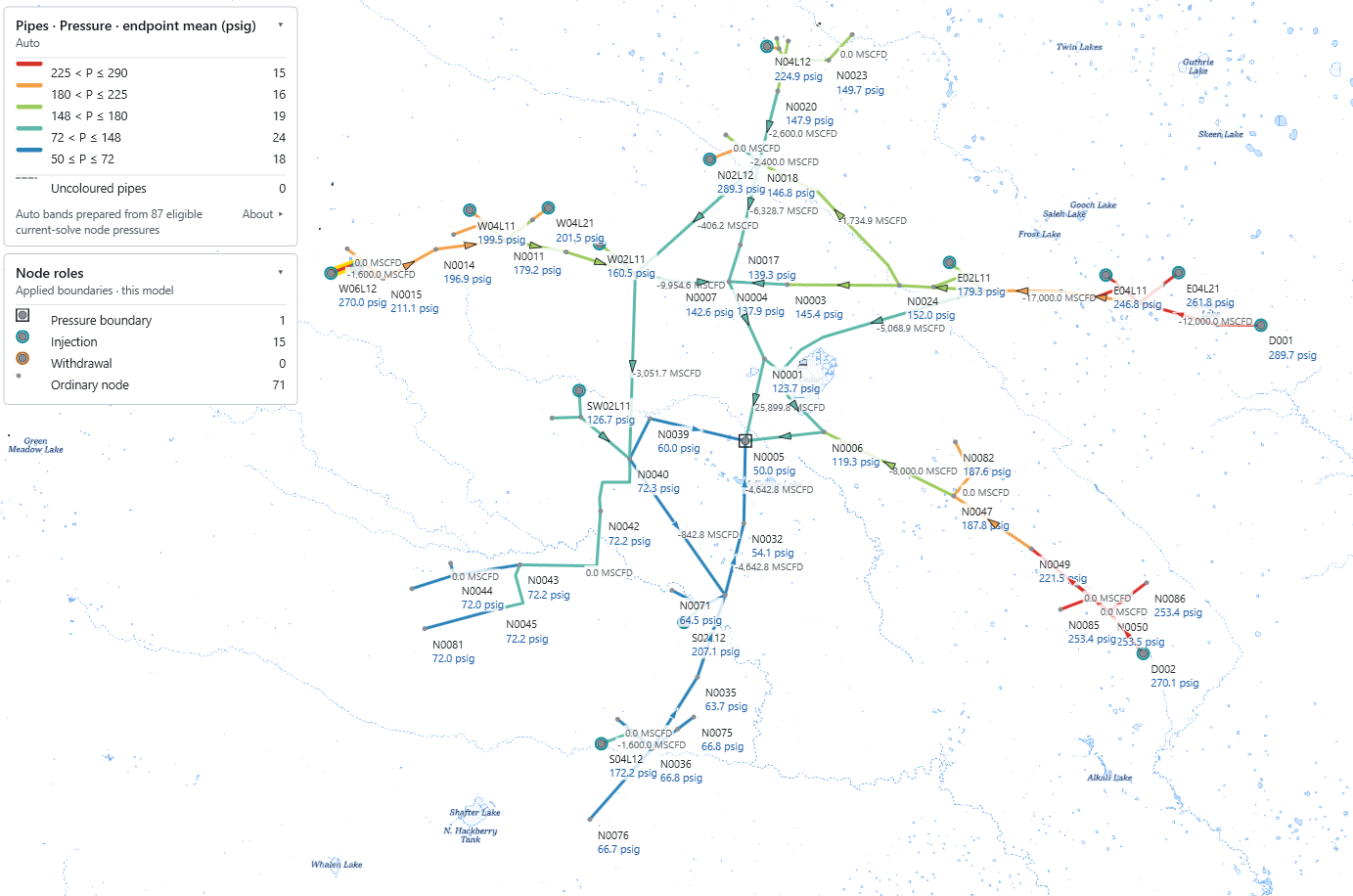
Interpret calculations in geographic and operating context.
Clear identification of incomplete, infeasible or outdated results is an important design principle.
Visualization workflows remain under active refinement and integration.
06 / Connect
GIS import and engineering data exchange help connect established network information to the modeling workbench.
Solvra Hydraulics includes import functionality for supported legacy Synergi Gas models, helping engineers bring existing network data into the modern Solvra Hydraulics modeling environment.
Import compatibility depends on the source model and supported features. Imported models should be reviewed and validated before engineering use.
Solvra Hydraulics is an independent product and is not affiliated with, sponsored by, or endorsed by DNV.
Focused on practical engineering
Solvra's product direction emphasizes engineering integrity, modern usability and useful workflows. The objective is to make it easier to build a model, understand results and compare alternatives while keeping important engineering assumptions and limitations visible.
Your next step
Explore practical applications across gathering, transportation and pipeline network planning.